 Talking Avatar
Alternatives guide
7 Best OVRLipSync Alternatives in 2026 for Unity, Quest and WebGL
By Mukul Munjal, Co-founder, Talking Avatar · LinkedIn
· Prices checked 30 October 2026
Talking Avatar publishes this guide and is one of the tools listed. Every other entry uses the vendor's own website, docs or repository.
Quick answer
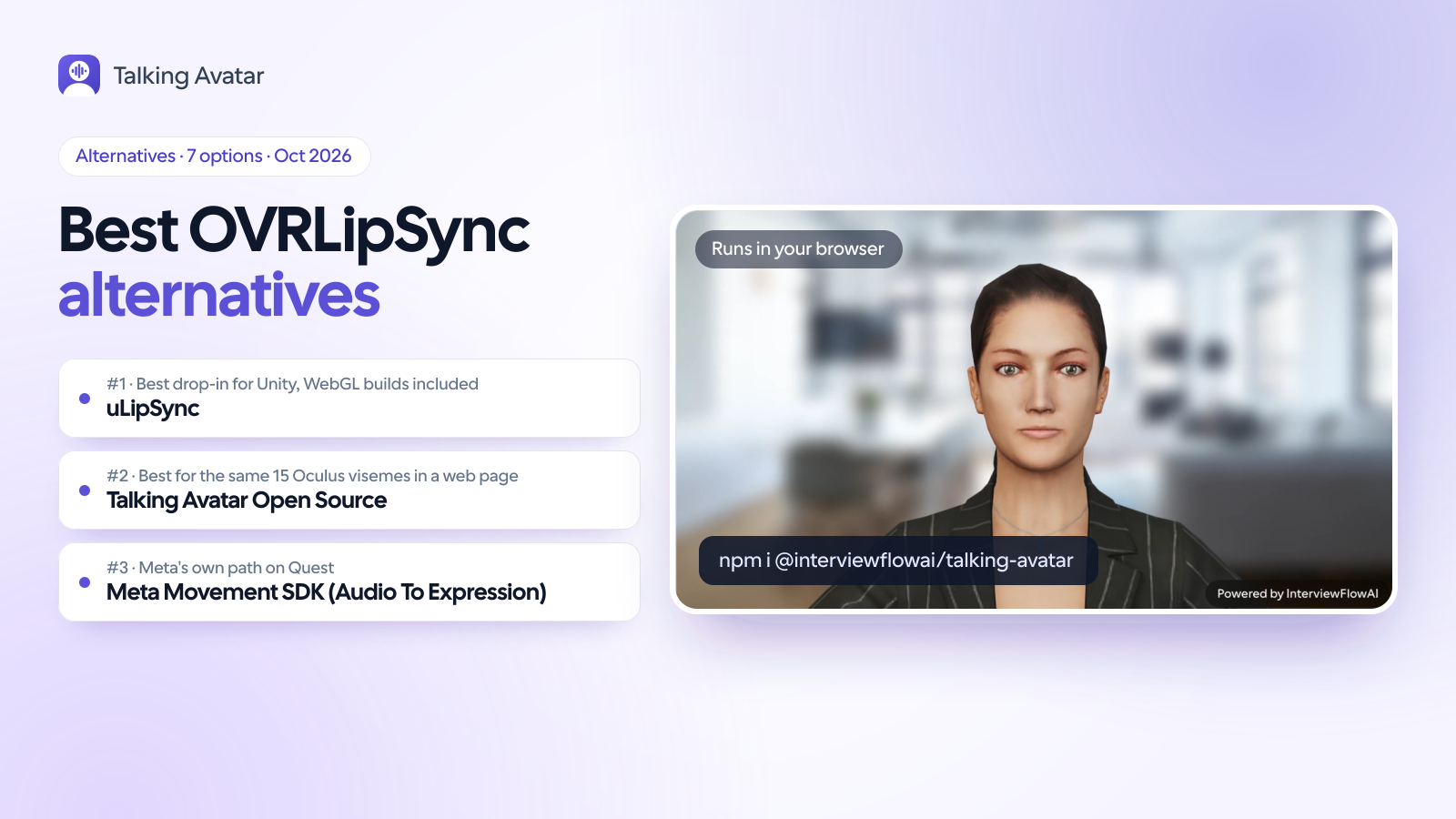
The closest OVRLipSync alternative inside Unity is uLipSync: free, MIT-licensed and able to build for WebGL. On Meta Quest, Meta's own Movement SDK produces the same 15 visemes from the headset microphone. For a web page without Unity, Talking Avatar Open Source outputs the 15 Oculus visemes from any audio with a 1 MB neural model. OVRLipSync's latest version, 29.0.0, dates from May 2021.
What is the best OVRLipSync alternative?
OVRLipSync turned live audio into the 15 Oculus visemes in Unity, Unreal and native apps, and a lot of avatars were rigged around it. It hasn't moved since version 29.0.0, a maintenance release from May 2021. Meta has archived the Oculus Lipsync for Unity docs, and its Unreal page now calls the plugin end-of-life and points to the Movement SDK. It never ran in WebGL either: builds fail on a missing OVRLipSync DLL. The viseme set outlived the plugin, though. Most tools below output the same 15 shapes or map theirs onto them, so the avatars you already have carry over.
Why teams look for alternatives to OVRLipSync
- No release since May 2021
- Version 29.0.0, dated 24 May 2021 and described as a maintenance release, is still the latest download. Meta has archived the Oculus Lipsync for Unity docs; the page says the documentation is no longer being updated and is subject to removal.
- Meta calls the Unreal plugin end-of-life
- Meta's Oculus Lipsync for Unreal Engine page, updated 17 April 2026, opens with an end-of-life notice: the plugin "will not receive further updates or support". It names the Movement SDK's audio-based face tracking as the migration path.
- No WebGL or browser build
- OVRLipSync is a closed-source native library for Windows, macOS and Android. WebGL builds fail with "DllNotFoundException: Unable to load DLL 'OVRLipSync'", as threads on Meta's and Unity's forums from September 2023 show, and with no source code there is nothing to port.
- Voice agents moved to the browser
- Agents built on OpenAI Realtime, LiveKit or Pipecat often talk to users in a browser tab, where a native Unity plugin can't follow. Lip sync there has to be JavaScript or WebAssembly.
What to look for in an alternative
- Engine and platform
- A Unity package, an Unreal plugin, a Quest-only SDK or JavaScript for a web page. WebGL rules out anything that needs a native DLL.
- Viseme compatibility
- Does it output the 15 Oculus visemes your avatars already have, or its own phonemes that you map to blend shapes?
- Audio source
- Any audio (TTS clips, NPC dialogue, a voice agent stream) or only the local microphone.
- Live or pre-baked
- Real time from streams and microphones, or analysis of recordings ahead of time. OVRLipSync did both.
- License and upkeep
- MIT and similar licenses allow commercial use. A recent release means someone still fixes bugs.
OVRLipSync alternatives at a glance
| Tool | Runs in | Output | Audio input | Latest release | License |
|---|---|---|---|---|---|
| uLipSync | Unity on any OS, WebGL included (slower there without Burst) | Phoneme weights from a profile you calibrate, mapped to blend shapes | Any AudioSource or the mic; or pre-baked clips | 3.1.5 (UPM), Dec 2024; commits to Jan 2026 | MIT |
| Talking Avatar Open SourceOur product | Web browser (JavaScript, three.js) | 15 Oculus visemes on your .glb, plus blinks and brows | Any MediaStream (WebRTC, mic) or clip | 0.2.0, 26 Oct 2026 | MIT |
| Meta Movement SDK (Audio To Expression) | Meta Quest 2, 3, 3S and Pro (Unity, Unreal, OpenXR) | The same 15 Oculus visemes, or full-face expressions | Headset microphone | Ships with Meta's XR SDKs | Free; Oculus SDK license |
| HeadAudio (TalkingHead) | Web browser (AudioWorklet) | 15 Oculus visemes | Any Web Audio source; demo uses OpenAI Realtime over WebRTC | 1.0.0, 22 Oct 2026 | MIT |
| wLipSync | Web browser (WebAssembly and AudioWorklet) | Phoneme weights from a uLipSync profile | Any Web Audio node: file, mic or stream | 1.3.1, 6 Aug 2026 | MIT |
| NVIDIA Audio2Face | NVIDIA GPU (CPU fallback): C++ SDK, Unreal Engine 5.5 and 5.6, Maya | Blend shapes, joints or mesh, plus emotion | Files or live streams | Samples 2.0, Mar 2026 | SDK MIT; models NVIDIA Open Model License |
| Rhubarb Lip Sync | Command line (Windows, macOS, Linux) | 2D mouth shapes A to F, plus optional G, H and X | Recorded files only (batch) | 1.14.0, 3 Apr 2025 | MIT |
Time since each tool's latest release, as of 30 October 2026
Days since the latest tagged release or package version: OVRLipSync 29.0.0 (24 May 2021), uLipSync 3.1.5 on its UPM branch (31 Dec 2024), Rhubarb 1.14.0 (3 Apr 2025), Audio2Face-3D Samples 2.0 (11 Mar 2026), wLipSync 1.3.1 (6 Aug 2026), HeadAudio 1.0.0 (22 Oct 2026) and Talking Avatar Open Source 0.2.0 (26 Oct 2026). Meta's Movement SDK ships inside its XR SDKs and isn't charted. A recent release shows upkeep, not quality.
- OVRLipSync (Meta)5.4 years
- uLipSync22 months
- Rhubarb Lip Sync19 months
- NVIDIA Audio2Face8 months
- wLipSync3 months
- HeadAudio8 days
- Talking Avatar Open Source4 days
The 7 best OVRLipSync alternatives
1. Best drop-in for Unity, WebGL builds included
uLipSync
MFCC-based lip sync for Unity by hecomi, built on the Job System and Burst instead of a native plugin. You calibrate a profile per character (the README's example registers A, I, U, E, O, N and a noise phoneme), then map phonemes to blend shapes. It analyzes any AudioSource or the microphone at runtime, or pre-bakes clips for Timeline and AnimationClips, with VRM support. It builds for WebGL too; Burst isn't available there, so the README recommends pre-baking when real time isn't critical.
Pricing: Free (MIT license).
Best for: Unity projects, WebGL builds included, that want to drop OVRLipSync's native DLL.
2. Best for the same 15 Oculus visemes in a web pageOur product
Talking Avatar Open Source
Talking Avatar Open Source turns your own 3D .glb avatar into a talking avatar in the browser, animated from any audio stream by a 1 MB neural model: no server, no API key, and the audio never leaves the page. It plugs into OpenAI Realtime, LiveKit, Pipecat or any TTS with one call. (Talking Avatar's photorealistic avatars are a separate hosted product, Talking Avatar Realistic Avatars.)
Why it fits here
- Outputs the 15 Oculus visemes OVRLipSync used, as morph targets viseme_sil to viseme_U
- Plain JavaScript in a web page: no native plugin, no DLL, no WebAssembly
- Any audio: a WebRTC or microphone MediaStream with attachStream(), or a clip with speak()
- A 1 MB neural model (about 260k parameters) that looks 20 ms ahead, plus natural blinks and brows
- morphTargets maps OVRLipSync's short names (sil, PP … ou) onto the standard ones
Pros
- Avatars rigged for OVRLipSync usually load unchanged, or with one morphTargets map
- Runs where OVRLipSync never did: browsers and web voice agents
- 82% of 10 ms frames correct and 99% lip closure on p, b and m, on 39 held-out speakers
- MIT-licensed and maintained, with a release on 26 October 2026
Cons
- Trained on English: other languages keep timing but get the nearest English mouth shape
Pricing: Free for commercial and noncommercial use (MIT license).
Best for: Web pages and web voice agents whose avatars were rigged for OVRLipSync.
3. Meta's own path on Quest
Meta Movement SDK (Audio To Expression)
Meta's face tracking API, which on Quest 2, 3 and 3S runs from audio; Meta calls the model Audio To Expression and shipped it in Horizon OS v71 in December 2024. It can output the same 15 Oculus visemes OVRLipSync used, or full-face expressions, and Meta says it needs a fraction of the old Lipsync library's overhead. It listens to the headset microphone, so it suits the player's own avatar; Meta's docs don't describe feeding it NPC or TTS audio.
Pricing: Free with Meta's XR SDKs on the Unity Asset Store (Oculus SDK license, not open source).
Best for: Quest apps that animate the player's avatar from their voice, in Unity, Unreal or OpenXR.
4. Best tiny MIT viseme detector for the browser
HeadAudio (TalkingHead)
An AudioWorklet by TalkingHead's author that detects the 15 Oculus visemes from Web Audio using MFCC features and Gaussian prototypes. Version 1.0.0 shipped on 22 October 2026 at about 18 KB gzipped with its model, and its demo drives an avatar from OpenAI Realtime over WebRTC. The README says accuracy is far from optimal on noisy audio.
Pricing: Free (MIT license).
Best for: Web projects that want the smallest Oculus-viseme detector, or already use TalkingHead.
5. Best for uLipSync profiles on the web
wLipSync
uLipSync's MFCC approach ported to WebAssembly and Web Audio, reading phoneme weights in real time; it needs a profile calibrated with uLipSync in Unity.
Pricing: Free (MIT license).
Best for: Web developers who already calibrate profiles with uLipSync.
6. Best for Unreal Engine 5 and Maya
NVIDIA Audio2Face
NVIDIA's audio-to-face models, open-sourced in September 2025, with a C++ SDK, an Unreal Engine 5.5 and 5.6 plugin and a Maya plugin. They output blend-shape weights, joint transforms or mesh deformation plus emotion, from files or live streams, on an NVIDIA GPU with a CPU fallback. The v3.0 model alone is 725 MB.
Pricing: Free: SDK and plugins MIT, models under the NVIDIA Open Model License.
Best for: Unreal and Maya teams replacing OVRLipSync's Unreal plugin, with NVIDIA GPUs to run it.
7. Best for pre-baked dialogue and 2D mouths
Rhubarb Lip Sync
Command-line tool that turns a finished recording into a timeline of 2D mouth shapes for After Effects, Moho, OpenToonz, Spine and more. Batch, not live.
Pricing: Free (MIT license).
Best for: Recorded lines you can process ahead of time, especially drawn or sprite mouths.
Realistic Avatars and Open Source
The two versions of Talking Avatar
Talking Avatar comes in two separate versions. Talking Avatar Realistic Avatars is a hosted, paid service of ready-made photorealistic avatars, rendered on our servers and streamed to your page over WebRTC or into your LiveKit room (with a LiveKit Agents plugin for Python), for $0.02 a minute. Talking Avatar Open Source is a free, MIT-licensed 3D talking avatar for the browser: it renders a built-in female or male 3D avatar, or your own .glb, and animates its face from any audio (lip sync from a 1 MB model, plus natural blinks and brows), with no server, account or API key, free for commercial and noncommercial use. Both are driven by your own voice agent: OpenAI Realtime, LiveKit, Pipecat or any TTS. No voice agent yet? Talking Avatar Voice Agents run the whole conversation on a realistic avatar, with no code, for $0.06 a minute.
Talking Avatar Realistic Avatars
$0.02 / minHosted, ready-made photorealistic avatars that speak your voice agent's audio in real time, with lip sync, natural expressions and subtle head motion. Rendered on our servers and streamed to your page over WebRTC or into your LiveKit room, from the Node.js SDK, our LiveKit Agents plugin for Python, or a WebSocket API that works in any language.
- $1 of free credits when you sign up
- Billed per second, commercial use included
- No subscription, setup fee or minimum
- Sessions up to 3 hours each
- Ready-made avatars; custom avatars $199 one time
Talking Avatar Open Source
FreeA 3D talking avatar that runs entirely in the user's browser: it renders a built-in female or male avatar, or your own .glb, and animates its face from your agent's audio, with lip sync from a 1 MB model plus natural blinks and brows. No server, no API key, and the audio never leaves the page.
- Free for commercial and noncommercial use (MIT)
- npm install @interviewflowai/talking-avatar
- Source on GitHub
Move an OVRLipSync avatar to a web page
OVRLipSync and Talking Avatar Open Source use the same 15 visemes, so the avatar carries over. What changes is the runtime: a JavaScript class in the page instead of OVRLipSyncContext in a scene.
- Export the avatar as glTF binary (.glb), for example from Blender, keeping its blend shapes.
- Check the shape names: viseme_sil to viseme_U load as they are; OVRLipSync's short names (sil, PP … ou) need the morphTargets map below.
- Load the file in the open-source 3D demo and play a sample voice or your microphone to check the mouth before writing code.
- Replace OVRLipSyncContext and its microphone source with attachStream(stream), or a pre-recorded line with speak(url).
| OVRLipSync viseme | Talking Avatar Open Source morph target | Example sound |
|---|---|---|
| sil | viseme_sil | silence |
| PP | viseme_PP | p, b, m |
| FF | viseme_FF | f, v |
| TH | viseme_TH | th |
| DD | viseme_DD | t, d |
| kk | viseme_kk | k, g |
| CH | viseme_CH | ch, j, sh |
| SS | viseme_SS | s, z |
| nn | viseme_nn | n, l |
| RR | viseme_RR | r |
| aa | viseme_aa | a (car) |
| E | viseme_E | e (bed) |
| ih | viseme_I | i (sit) |
| oh | viseme_O | o (dog) |
| ou | viseme_U | u (book) |
import { TalkingAvatar } from "@interviewflowai/talking-avatar";

// Only needed if your blend shapes use OVRLipSync's short names (sil, PP, ... ou)
// instead of viseme_sil ... viseme_U.
const OVR = ["sil", "PP", "FF", "TH", "DD", "kk", "CH", "SS", "nn", "RR", "aa", "E", "ih", "oh", "ou"];
const STANDARD = ["sil", "PP", "FF", "TH", "DD", "kk", "CH", "SS", "nn", "RR", "aa", "E", "I", "O", "U"];

const avatar = new TalkingAvatar({
  container: document.getElementById("avatar"),
  avatarUrl: "/avatar.glb",
  morphTargets: Object.fromEntries(STANDARD.map((v, i) => [`viseme_${v}`, OVR[i]])),
});

avatar.attachStream(micOrAgentStream); // live audio, like OVRLipSyncContext with a mic
// await avatar.speak("/line-01.mp3"); // or a pre-recorded line
If your morph targets are already named viseme_sil to viseme_U, leave out morphTargets.
Recommendations by use case
- Unity on desktop or mobile: uLipSync.
- A Unity WebGL build: uLipSync, with pre-baked clips where real time isn't needed.
- The player's own avatar on Meta Quest: Meta's Movement SDK (Audio To Expression).
- A web page or web voice agent with Oculus-viseme avatars: Talking Avatar Open Source.
- The smallest MIT viseme detector in the browser: HeadAudio.
- uLipSync profiles reused on the web: wLipSync.
- Unreal Engine 5 or Maya, with NVIDIA GPUs: NVIDIA Audio2Face.
- Recorded dialogue for drawn or sprite mouths: Rhubarb Lip Sync.
How we ranked these tools
We ranked by how much of OVRLipSync's job each tool takes over: live audio in, mouth shapes out, on the platform you ship. Unity coverage counts most, then the web and Quest, then license and how recently each project released. Facts come from each project's repository, docs and release pages, checked on 30 October 2026; we haven't benchmarked their accuracy against each other. We make Talking Avatar Open Source. It ranks second because it outputs the same 15 visemes in a web page, but it isn't a Unity plugin, so uLipSync comes first.
Frequently asked questions
Is OVRLipSync deprecated?
Meta has archived the Oculus Lipsync for Unity docs, and the page says the documentation is no longer being updated and is subject to removal; the end-of-life banner on that page is about the Oculus Spatializer, not Lipsync. Meta's Unreal page, updated April 2026, goes further and calls the Oculus Lipsync plugin end-of-life, pointing to the Movement SDK. The last version is 29.0.0, from May 2021.
Does OVRLipSync work in WebGL?
No. OVRLipSync is a native library, and WebGL builds fail with "DllNotFoundException: Unable to load DLL 'OVRLipSync'", as reported on Meta's and Unity's forums in September 2023. Meta lists Windows, macOS and Android. For a Unity WebGL build use uLipSync, which supports WebGL; for a plain web page use Talking Avatar Open Source, HeadAudio or wLipSync.
What did Meta replace OVRLipSync with?
For Quest apps, the Movement SDK. Its audio-based face tracking (Audio To Expression, from Horizon OS v71) runs on Quest 2, 3 and 3S and outputs the same 15 Oculus visemes or full-face expressions, with a fraction of the old library's overhead, Meta says. Meta documents it for Quest headsets and the headset microphone, so its docs don't cover PC builds, WebGL or NPC dialogue.
Will my OVRLipSync avatars work with Talking Avatar Open Source?
Yes, if they have the 15 Oculus viseme blend shapes. Export the model as a .glb. Shapes named viseme_sil to viseme_U load as they are, and OVRLipSync's short names (sil, PP to ou) map with the morphTargets option shown above. Load the file in the open-source 3D demo first to check the mouth.
What's the best free lip sync for Unity?
uLipSync, for most projects: MIT-licensed, no native plugin, real time or pre-baked, with Timeline, VRM and WebGL support. You calibrate a profile per character by speaking or looping each vowel. On Quest, Meta's Movement SDK is also free. For recorded dialogue with drawn mouths, Rhubarb Lip Sync bakes the timing offline.
How do I lip sync an avatar in a web browser?
Use a JavaScript library that analyzes Web Audio in the page. Talking Avatar Open Source renders your .glb with three.js and drives its 15 Oculus visemes from a stream or clip with a 1 MB neural model. HeadAudio (about 18 KB) and wLipSync (about 9 KB plus a uLipSync profile) are smaller detectors that leave the animation to you.
The bottom line
OVRLipSync's last release is from May 2021, and it never ran in WebGL or a browser. In Unity, switch to uLipSync, which also builds for WebGL. On Quest, Meta's Movement SDK is the supported path for the player's own voice. For a web page, Talking Avatar Open Source keeps the same 15 visemes, so the avatars you rigged for OVRLipSync carry over with, at most, a name map.

About me
Mukul Munjal
Co-founder, Talking Avatar
I'm Mukul Munjal, co-founder of Talking Avatar. I have 7 years of experience in engineering, 3 of them building voice agents, and I handle the optimisation of our voice agents. We built Talking Avatar to give our own AI interviewers a face.
Check your OVRLipSync avatar in the browser
Upload the .glb or paste its URL into the open-source 3D demo and drive its Oculus visemes from a sample voice, a file or your microphone. Free under MIT, with no account, API key or native plugin.