 Talking Avatar
Comparison guide
NVIDIA Audio2Face in 2026: What It Needs, and a 1 MB Web Alternative
By Mukul Munjal, Co-founder, Talking Avatar · LinkedIn
· Prices checked 30 October 2026
Talking Avatar publishes this comparison. Facts about NVIDIA Audio2Face come from its own website, docs and pricing page, and we say where it's the better fit.
Quick answer
NVIDIA Audio2Face is free as of 30 October 2026. The Audio2Face-3D SDK and its Unreal Engine 5 and Maya plugins are MIT-licensed, and the models ship under NVIDIA's Open Model License, which allows commercial use. The v3.0 model is a 725 MB file accelerated on NVIDIA GPUs, with no browser build. Talking Avatar Open Source lip syncs 3D avatars inside the browser with a 1 MB model.
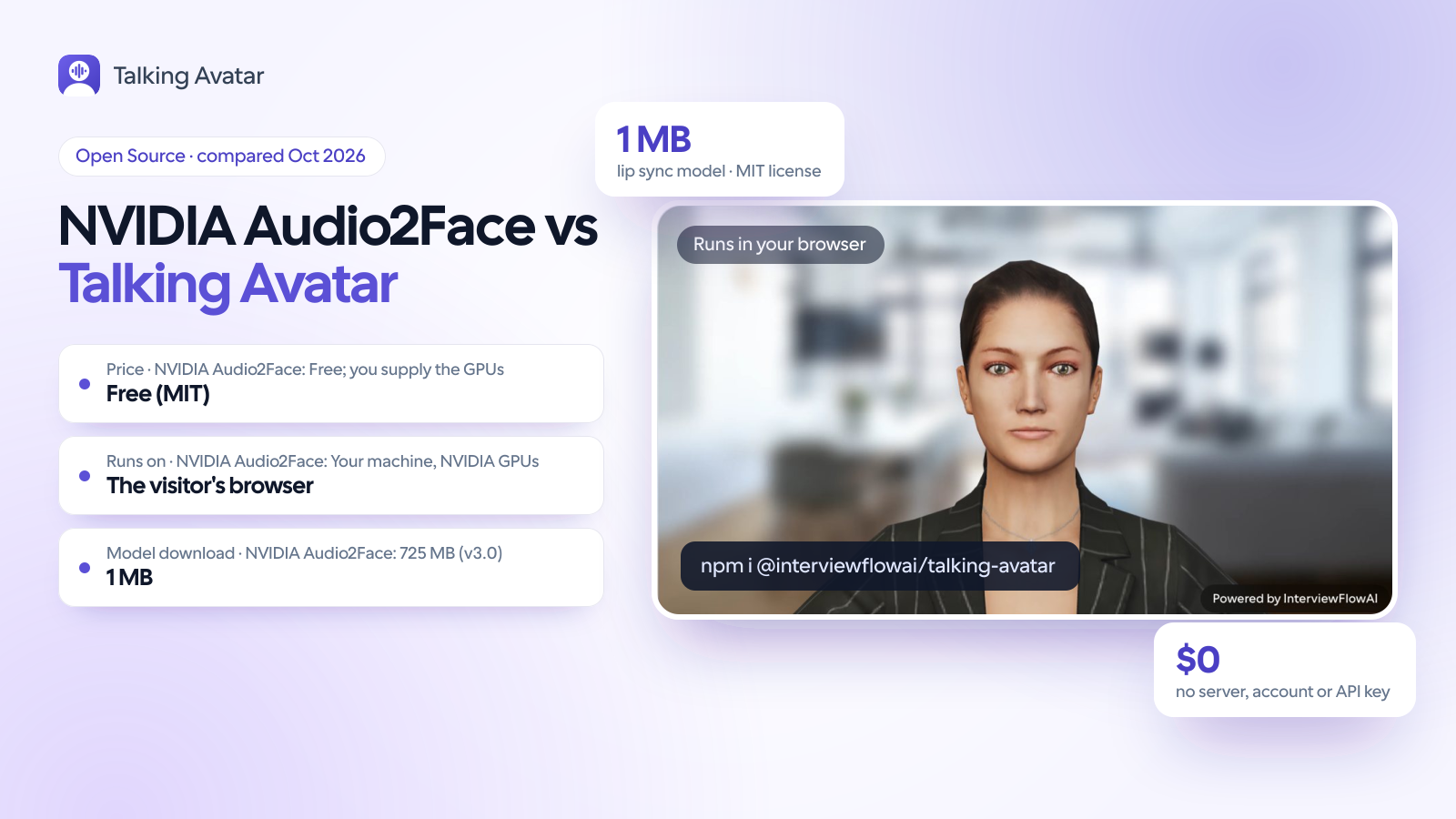
60-second comparison
The decision at a glance
Both animate a 3D face from audio alone, and both are free. They aim at different places. Audio2Face-3D is NVIDIA's high-fidelity model for games and film: it moves skin, jaw, tongue and eyes, adds emotion through Audio2Emotion, and runs from a C++ SDK or the Unreal Engine 5 and Maya plugins on an NVIDIA GPU. Talking Avatar Open Source is built for web apps: a 1 MB model in plain JavaScript that moves the mouth, blinks and brows of your .glb avatar on the visitor's own device. Pick by where the face has to run.
Choose Talking Avatar Open Source if…
- Your avatar lives in a web page and has to work on any visitor's laptop or phone, with nothing to install.
- You don't want to host or pay for GPU inference for every concurrent conversation.
- The user's audio shouldn't leave their device.
- Mouth, blinks and brows on a .glb close-up are enough for your voice agent, tutor or support bot.
- You want one MIT license covering the code and the model, with nothing gated.
Choose NVIDIA Audio2Face if…
- You build in Unreal Engine 5.5 or 5.6, or animate in Maya, and want the highest-fidelity facial performance.
- You need jaw, tongue and eye motion plus emotion read from the voice.
- You want to train a model on your own characters or languages with NVIDIA's training framework.
- You already run NVIDIA GPUs, in the player's machine or in your data center.
- You render offline (cutscenes, animation passes, film) where file-based processing fits the pipeline.
Feature comparison
| Feature | Talking Avatar Open Source | NVIDIA Audio2Face |
|---|---|---|
| What it is | A free 3D talking avatar for the browser: it renders your .glb and lip syncs it from audio | Audio-to-face models, a C++ and Python SDK, and engine plugins |
| Where inference runs | In the visitor's browser, in plain JavaScript (no WebAssembly or ML runtime) | Your machine or server on Linux or Windows; TensorRT on NVIDIA GPUs, with a CPU fallback |
| Model download | 1 MB (about 260,000 parameters) | v3.0: 725 MB, 180 million parameters. v2.3 (Mark): 76 MB network plus 204 MB of model data |
| GPU memory | None. About 2% of one CPU core while speaking (Apple M5 Pro) | 4.4 GiB+ for v3.0, 2.9 to 3.0 GiB+ for v2.3, on Ampere, Ada or Blackwell (Unreal plugin, local) |
| What moves | Mouth (15 Oculus visemes), natural blinks and brows | Skin, jaw, tongue and eyeballs, as blend-shape weights, joint transforms or mesh deformation |
| Emotion | Natural blinks and brows that follow speaking, listening or thinking | Audio2Emotion infers it from the voice (its license allows use with Audio2Face only) |
| Engines and tools | Built-in three.js renderer; plain JavaScript and React | Unreal Engine 5.5 and 5.6 (plugin v2.5), Maya (Maya ACE v2.0), any engine through the SDK |
| In a web app | Runs inside the page; the audio never leaves the device | No browser build: run it on a server or as a NIM, then stream the weights to the page |
| Live audio | attachStream() for WebRTC or microphone audio; plays 150 ms behind by default | Real-time streams or pre-recorded files; latency not published |
| Languages | Trained on English; other languages keep their timing with the nearest English mouth shape | Not listed on the model card; the training framework takes data in one or several languages |
| Custom models | No training needed; map your avatar's morph target names | Training framework (Apache-2.0) for your own data and characters |
| License | MIT for the SDK and the model | SDK and plugins MIT; models NVIDIA Open Model License (commercial use allowed); NIM under NVIDIA's software terms |
| Price (30 Oct 2026) | Free; no server or GPU to run | Free; you supply the GPUs. NIM pricing not published |
Model file you download, in MB
Weights only, measured 30 Oct 2026. Talking Avatar Open Source: viseme-model.bin (1,040,276 bytes). Audio2Face-3D: network.onnx from Hugging Face (v2.3 Mark, v3.0), and the optional Audio2Emotion v2.2 network.onnx (gated). Runtimes such as TensorRT and three.js aren't counted. Log scale.
- Talking Avatar Open Source1 MB
- Audio2Face-3D v2.3 (Mark)76 MB
- Audio2Face-3D v3.0725 MB
- Audio2Emotion v2.21.27 GB
Log scale: each step to the right is a multiple of the value, not a fixed amount.
Is Audio2Face still available after the Omniverse app?
Yes, in a different form. The Audio2Face desktop app was installed through the Omniverse Launcher, which NVIDIA deprecated on 1 October 2025. NVIDIA now describes Audio2Face as the Audio2Face-3D SDK, a training framework, a training dataset and microservices, and the old Omniverse Audio2Face docs redirect to its ACE for Games page. A week before the Launcher cut-off, on 24 September 2025, NVIDIA open-sourced the pieces: the SDK, the Maya ACE and Unreal Engine 5 plugins, the training framework and the models on Hugging Face. So in 2026 there's no app to download. You build on the SDK, work in Unreal or Maya through the plugins, or deploy the Audio2Face-3D NIM container. Public activity is quiet: the SDK repository still holds a single commit from August 2025, and updates have arrived through the samples repository (v2.0 in March 2026).
Is Audio2Face free for commercial use?
Mostly, and the exceptions are easy to spot. The SDK and both plugins are MIT, the training framework is Apache-2.0, and the Audio2Face-3D models use the NVIDIA Open Model License, which permits commercial use. Three pieces carry tighter terms. Audio2Emotion, the model that reads emotion from the voice, has a custom license that allows use with Audio2Face only, and its v2.2 weights (a 1.27 GB file) are gated on Hugging Face. The sample training data is for evaluation only. The NIM container falls under the NVIDIA Software License Agreement and NVIDIA's product terms for AI products, and NVIDIA doesn't publish a price for it. Talking Avatar Open Source has one license for everything, MIT, covering the SDK and the model. Neither has a per-minute fee. With Audio2Face, your cost is the GPU time you run; with ours, inference runs on each visitor's device.
What hardware does Audio2Face need?
In practice, an NVIDIA GPU. The v3.0 model card lists Linux and Windows, TensorRT as the acceleration engine, and tested cards from the RTX 3080 and T4 up to the A100 and RTX Pro 6000 Blackwell. NVIDIA's Unreal plugin asks for an Ampere, Ada or Blackwell GPU with 4.4 GiB or more of VRAM for the v3.0 diffusion models and 2.9 to 3.0 GiB for v2.3, on Windows; it doesn't support local execution on Linux, though its remote mode needs no local GPU. The SDK has a CPU fallback, with no published speed. For scale, the v3.0 network is a 725 MB ONNX file with 180 million parameters. Talking Avatar Open Source's model is 1 MB, about 260,000 parameters, and uses about 2% of one CPU core while the avatar speaks (measured on an Apple M5 Pro; plan for two to three times that on low-end laptops).
Can Audio2Face run in a web browser?
Not directly. NVIDIA ships C++ and Python code, native plugins and a Docker container, and doesn't offer a browser build. A web app runs Audio2Face on a server, or calls a hosted endpoint, and sends the animation to the page. A community write-up on NVIDIA's forum (22 September 2026) shows the pattern: audio goes to NVIDIA's hosted Audio2Face-3D function over gRPC, 55 blend-shape weights per frame come back at 30 fps, and a WebGL avatar plays them against the audio clock, with a 60-second cap per request. It works. It also adds a server hop, GPU capacity (yours or NVIDIA's) for every concurrent stream, and audio leaving the device. Talking Avatar Open Source does the inference in the page instead: attachStream() takes a WebRTC or microphone stream, the model hears each sound 150 ms before the listener does (the default), and the mouth moves on the visitor's own CPU.
How much of the face do you need?
This is the real decision. Audio2Face-3D animates skin, jaw, tongue and eyeballs and can layer emotion on top, which is why NVIDIA's open-source announcement names Codemasters, NetEase, Reallusion, Convai and Inworld AI among its users. In a game close-up or a cutscene, that detail shows. A web avatar next to a voice agent is judged on simpler things: the lips close on p, b and m, the mouth opens on vowels, and speech starts on time. On 39 speakers held out from training, with audio passed through the Opus codec as on a WebRTC call, Talking Avatar Open Source picks the right mouth shape for 82% of 10 ms frames and closes the lips on 99% of p, b and m sounds. Audio2Face's eye, tongue and emotion detail matters most when users study a face up close for long stretches, as in a game or a film.
When to choose NVIDIA Audio2Face
Where NVIDIA Audio2Face is the better fit
Choose Audio2Face for games, film and high-end digital humans. It animates skin, jaw, tongue and eyes, reads emotion from the voice with Audio2Emotion, and plugs into Unreal Engine 5 and Maya. NVIDIA also gives you a training framework for your own characters and languages. With NVIDIA GPUs and a native engine, it's built for the high-fidelity close-ups that games and film need.
Good to know about Talking Avatar Open Source
- Talking Avatar Open Source's model is trained on English. Other languages keep good timing but use the nearest English mouth shape.
Switching from NVIDIA Audio2Face
Moving a web avatar from server-side Audio2Face to the browser removes the inference service. Most of the character work carries over.
- Export the character as .glb with the 15 Oculus viseme morph targets (viseme_aa, viseme_PP and so on). If it only has ARKit blend shapes, map them with the morphTargets option.
- Install the SDK (npm install @interviewflowai/talking-avatar three) and create a TalkingAvatar with a container element and your avatar URL.
- Send the agent's audio to attachStream() (a WebRTC or microphone MediaStream) or speak() (a clip) in the page, instead of posting it to the Audio2Face server.
- Delete the code that streamed blend-shape weights to the client and synced them to playback: the avatar plays the audio itself.
- Self-host viseme-model.bin and point modelUrl at it for production (it loads from jsDelivr by default).
- Retire the GPU or NIM service for the web client. Keep it for Unreal or Maya work if you still render there.
Methodology
How we evaluated this comparison
Pricing and features come from each vendor's own website, documentation or source code, checked in October 2026 and dated on this page. Where a vendor doesn't publish something, we say so rather than guess. We haven't run paid trials of every product. We built Talking Avatar, so we name what each competitor does better and who should choose it instead.

About me
Mukul Munjal
Co-founder, Talking Avatar
I'm Mukul Munjal, co-founder of Talking Avatar. I have 7 years of experience in engineering, 3 of them building voice agents, and I handle the optimisation of our voice agents. We built Talking Avatar to give our own AI interviewers a face.
Frequently asked questions
Is NVIDIA Audio2Face free?
Yes. As of 30 October 2026 the Audio2Face-3D SDK and the Unreal Engine 5 and Maya plugins are free under MIT, the training framework under Apache-2.0, and the models under the NVIDIA Open Model License, which allows commercial use. You pay for the hardware that runs them. The Audio2Emotion models are free too, but their license allows use with Audio2Face only. NVIDIA doesn't publish a price for the Audio2Face-3D NIM container.
Is Audio2Face open source?
The code is. NVIDIA put the SDK, plugins and training framework on GitHub on 24 September 2025, under MIT and Apache-2.0. The models are open weights on Hugging Face under NVIDIA's own Open Model License rather than an OSI license, the sample training data is evaluation-only, and the NIM container is proprietary. If you need code and model under one permissive license, Talking Avatar Open Source is MIT for both.
Can I still download the Audio2Face app?
Not as a standalone Omniverse app. NVIDIA deprecated the Omniverse Launcher, which installed it, on 1 October 2025, and now offers Audio2Face as the Audio2Face-3D SDK, plugins, models and microservices. For a visual tool, use the Maya ACE plugin, which previews the animation in the Maya viewport, or the Unreal Engine 5 plugin. The models themselves download from Hugging Face.
Can Audio2Face run in a web browser?
No. NVIDIA doesn't ship a browser build: Audio2Face-3D runs from a C++ or Python SDK, native plugins or a NIM container, accelerated on NVIDIA GPUs. A web app has to run it on a server or call a hosted endpoint, then stream blend-shape weights to a WebGL avatar. For lip sync inside the page, Talking Avatar Open Source runs a 1 MB model in plain JavaScript, with no server.
What GPU does Audio2Face need?
NVIDIA's Unreal plugin asks for an Ampere, Ada or Blackwell GPU with 4.4 GiB or more of VRAM for the v3.0 diffusion models and 2.9 to 3.0 GiB for v2.3, on Windows. The v3.0 model card lists tested cards from the RTX 3080 and T4 up to the A100 and RTX Pro 6000 Blackwell, on Linux or Windows. The SDK also has a CPU fallback, but NVIDIA publishes no speed for it.
Does Audio2Face work in languages other than English?
The v3.0 model card doesn't list languages. NVIDIA's announcement quotes Reallusion calling the animation multilingual, and the training framework accepts datasets in one or several languages, so you can train for yours. Talking Avatar Open Source is trained on English: on Spanish, French, German, Hindi, Japanese, Mandarin and others its timing holds, but sounds English lacks use the nearest English mouth shape.
What's a lightweight Audio2Face alternative for the web?
Talking Avatar Open Source runs a 1 MB lip-sync model in the browser and animates your own .glb avatar from any audio stream, free under MIT. TalkingHead, another MIT JavaScript library, drives full-body 3D avatars from TTS word timestamps. If you'd rather skip 3D entirely, Talking Avatar Realistic Avatars streams a photorealistic avatar from your agent's audio for $0.02 a minute.
Lip sync your own .glb in the browser, free
Open the 3D demo, load your own .glb or talk into your mic, and watch the 1 MB model move the mouth. MIT licensed, with no account, no API key and no GPU. When it looks right, npm install the SDK.